How come when I use these tags: #BLP# and #BLN# it gives me errors for WFF, but when looking at the reference table it shows as OK for WFF.
2 Likes
@Jorg
The #BLP# and #BLN# only work in progress elements at the moment. I’ve seen where they are working to be able to use them for a digital readout, but it isn’t working now.
1 Like
Voodoo . I think a published Face is ok . For the time being just us the canned Progress Bar .
1 Like
I created a Pastebin (something I often use when coding or organizing ideas) with some potential solutions. It’s experimental, so errors may occur:
2 Likes
pretty sure most of those won’t work. It was explained to us why but I’m not really the one to properly explain it again myself. Definitely not suggesting you don’t try some stuff out, but don’t expect happy results. I think we’ve all got to just be patient as Facer gradually finds some alternatives to some of the tags we’re accustomed to having that are not supported in WFF. In some cases, like the battery tags, those are likely to be fixed sooner than later.
4 Likes
@kvansant
Oddly enough, sometimes the #BLP# tag does work. I made this watchface and it was published 23 days ago. It is WFF approved and has a digital battery level in it. I’ve had it on my updated 7 Ultra and it works perfect. I just can’t publish a new one with the tag in it for some reason.
1 Like
I have simple face showing only numbers for test purposes,
#BLN# and #BLP# are working correctly on my watch
#WNDD#, #WND#, #WCHN#, #WCHP#, #ZHR#, #WRh# #WRm#, #WSUNRISE24#, #WSUNRISE#, … are not working.
How can you tell if the face is WFF approved?
1 Like
I tried the face you created, same thing, BPN showing always 142, and battery showing correct value
1 Like
You will see this image below your watchface in Facer Creator.
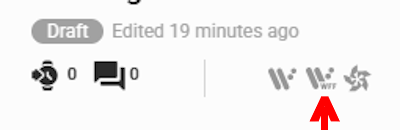
2 Likes
Im waiting for the next Facer update. For now its just easier to create using WFS and import the aab file into Facer.
2 Likes
Sadly they don’t seem to show on the web Previews . Only on the Phone app if you switch to GW8 . But I suppose if you have a WFF watch selected you will find them .
Yes . Well done . Have you seen the LIST.
.
Thank you, I had a look on the Tags in WFS, these ones are not included there too:
Wind Direction (0)
Wind Speed (0)
Hmidity (0)
Sunrise (06:00)
Sunset (17:00)
Compass
1 Like
Here is a sample picture
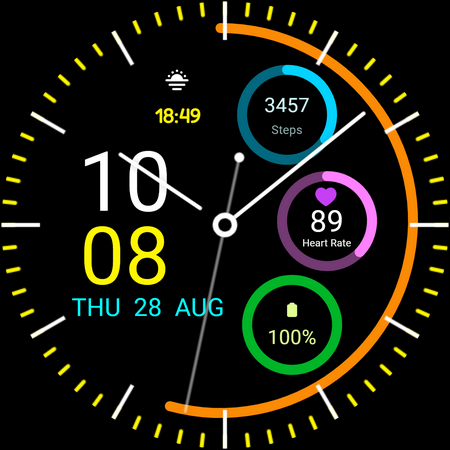
1 Like
Thanks for that, I’ll just wait until next update. Battery percentage can wait ,better yet… one less number to look at.
1 Like
I think the watch battery numbers might be fixed . Of course it has to be tested . I wish I could test .
1 Like
Hi all,
It is now Aug '26 and sunrise and sunset times aren’t working on mine.
I’m afraid sunrise and sunset tags have been deprecated and no longer work on the latest watches (like your Galaxy 8 Claasic ) and in Samsung watchface format
We been working on formulas getting close to sunrise and sunset.
Check this thread: Sunrise and sunset - #26 by russellcresser