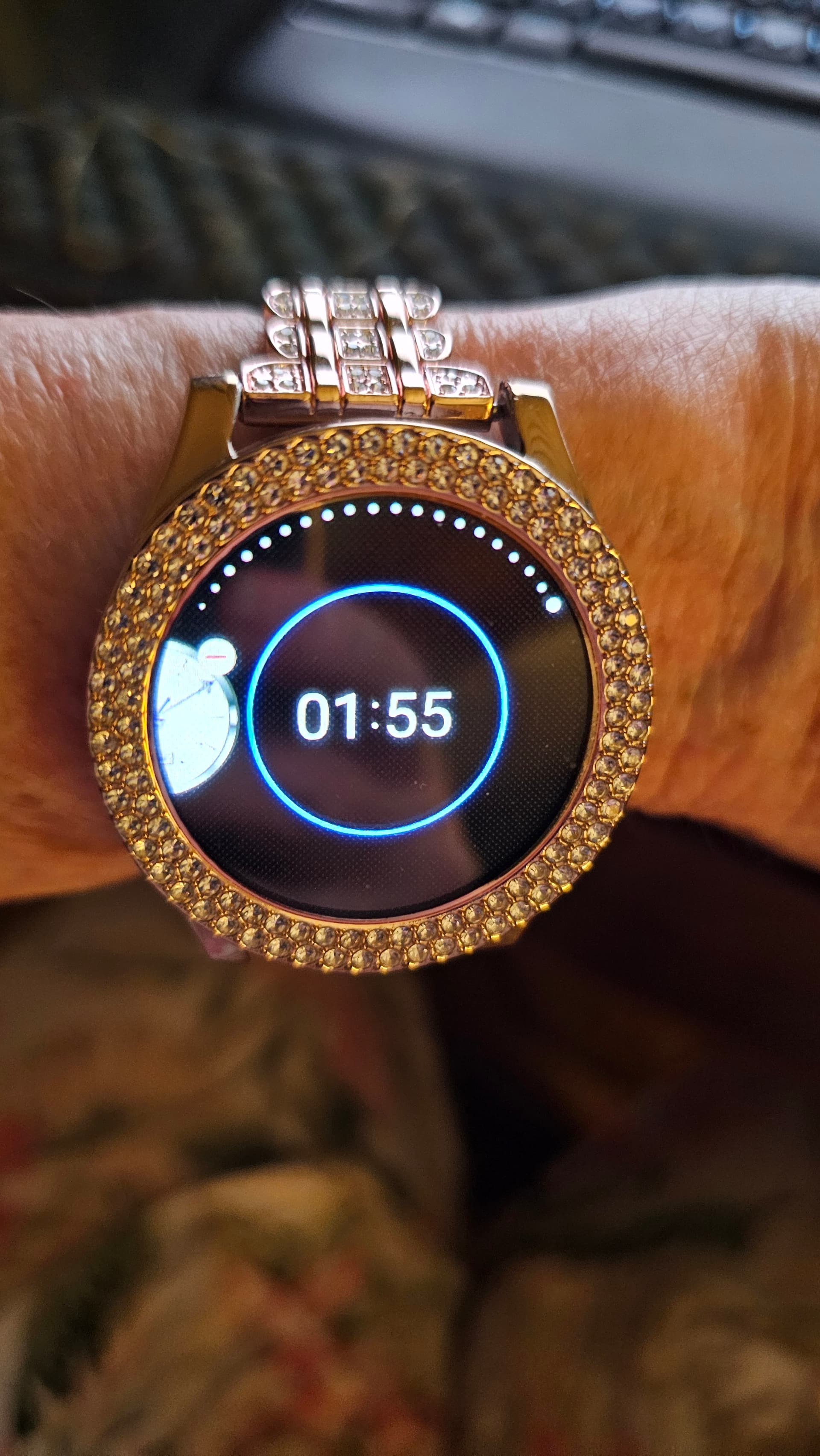
I downloaded my own watchface design from Facer to my watch. I long pressed on the watchface to customize the face, and the customize button appeared correctly. When I tap Customize, the first customization option appears very briefly, then returns to the customize button (no longer at the first option), so I can’t apply any customizations. If I press the customize button again, it does the same thing. The THIRD time I try it, it gives me a blank, black face with white digital time (photo attached).
I tried it with faces I know have worked just fine and have not been changed since they last worked, but now they don’t.
I tried it with one of my Facer watchfaces that is a very simple design (no moon phases, no animation, no fancy complications with color changes or anything, just 4 Tap complications).
I tried re-importing one of my faces that did this (using Facer Creator > Edit > Upload a Different File), then downloading the new one to my watch. Didn’t fix it.
I wiped the cache on my watch and on my phone. Didn’t fix it.
I tried using Customize on NON-Facer faces, (same faces I designed and imported to Facer, only the versions from the platform I created them in) and Customization works fine for those.
I know I can submit a request, but I wanted to check here first to see if anyone else is having or has had this issue and if there’s a fix for it.
I’m on Windows 11 PC (latest security update but NOT 25H2). My phone is Samsung Galaxy S23 Ultra on One UI v 8.0. My watch is Galaxy Watch 7 on Wear OS 6.0.
Tapping does not work on my Samsung Ultra. I guess Google disabled interactions completely.
I do not have any history of Facer faces to chose from. And in addition, I cannot add my Ultra to my iPhone, not available … I have to use an Android phone!
Has this been reported to support?
I have not had a problem with the long press on my Watch8 and Samsung phone. I love customizing the colors using the customization menu on my watch, but if only Watch 8 can do it, Support needs to know about it.
I thought I was going crazy because I just updated my Galaxy6 Classic to WearOS 6 and Facer feels completely broken. None of the faces have shortcuts, I can’t quickly switch between my last 3 worn faces, and changing colour accents is quite tedious. Is this just the new normal for the Facer system thanks to Wear OS 6?
Google has added quite a few restrictions with the update. Facer has no choice but to follow their wishes. At this point in time, if the designer has updated the faces for WearOS6 compatibility shortcuts to App Launchers should be available to all except the weather app. Weather can still be displayed up front. Some of the designers have found workarounds for other features. Ask your favorite designer(s) if they will update your preferred designs. It has been a slow process to change hundreds of designs, but many will do it if you ask for a specific one.
Your watch faces are no longer stored on your watch. The ones that you own are downloaded as you need them.
Technology is always changing, so what is the “new normal” today may not be tomorrow. I am happy that Facer is keeping up with the changes, even though the changes might be an inconvenience.
One still has to be aware of accepting the ‘new normal’ as it doesnt always mean it’s better. In my opinion what Google did was more than an inconvenience rather it was sabotage and I am amazed that Facer survived. I am impressed of that which Facer has managed to do so far and i hope that their focus will be on making go arounds for the things that we lost
You are of course right - technology marches on, with, or without us!
UPDATE: It started working again a couple days ago. Yes, I reported it to support. I may be wrong, but my guess is that it just got fixed “by accident.” Support didn’t seem to have any info on the problem.