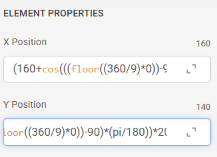
Whe I try to type into the formula box, the cursor does not align so I can edit it properly.
As seen in screen shot, (the Y Posistion box) the cursor is supposed to be at the end, showing the complete formula.
Has any one else encountered this issue?
I’m having the same issue
He He . When I type a search term in on my Tablet I have to type in reverse . So I had to type ORTER for RETRO . I hope this Topic gets some Attention . I started one and got NADA .
@Zieneth
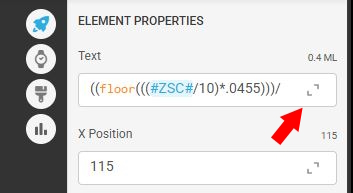
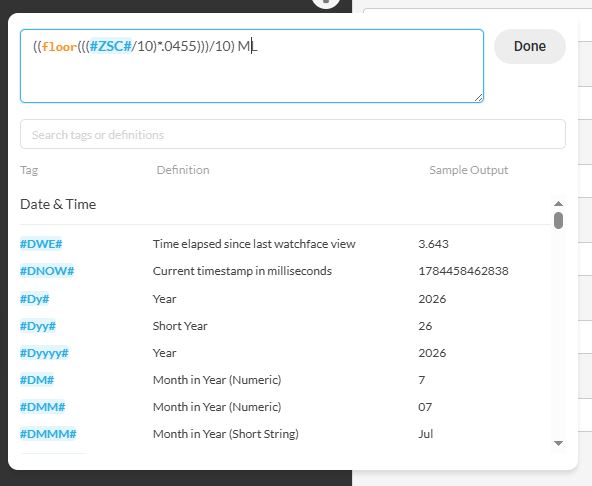
I just discovered that yesterday. If you click the diagonal arrows at the right side of the box it will expand the box to show the whole formula.
For me the Issue came about after you use anthing that is in the expresions List ( Orange ) .
I tested BRAVE Browser and the Formulas are not coloured and it Works perfectly .
Im also having issues entering text into attributes which contain tag names and $ formulas.
When i input text contained within $ it is not putting the text where i typed it.
As I use tablet i thought desktop might not be affected.
As a workaround I am now using external text editor to enter my formulas and then copy/paste this into the facer attribute.
He He . Like making a Raft out of Driftwood to get where we want to Next . Good Game . I think all this stuff is a Newbie Filter . May be that is the Intention .
i made a helpdesk ticket about that on Friday. Id #191197
Interesting, I will try that!
I have tried the copy/paste from a simple text editor, that seems to work as well
“Newbie filter” 
That’s hilarious
I also do the copy, paste into excel, make changes (can also increase the font size to see better for long formula) then paste back. So much quicker. I am also experiencing the mis-alignment of the cursor to where I think it should it but it’s off by one character. So frustrating and super laggy.
Cut, modify else where and paste back.
Try Notepad++
Its free and colours and matches parentheses
Is know excel like the back of my hand and therefore use that tool to help with really long formulas. But I use excel for other stuff so the cost is all baked in.
Everyman to his own!
I use it because I always lose a parenthesis here or there so the fact that it colours and pairs them it’s its easy to spot missing ones.