Apologies in advance because I am a hobbyist and not a real watchface creator.
Can anyone please explain like I’m five the process to get a watchface made in WFC into Facer? FYI, I’m still not even sure how to make the watchface be considered installed on my watch, but I am able to do the wireless debugging in WFS. If you can help with that also, that would be great. Considering I am not an official developer, I’m not sure how to make the face into a final version for saving or distributing to friends.
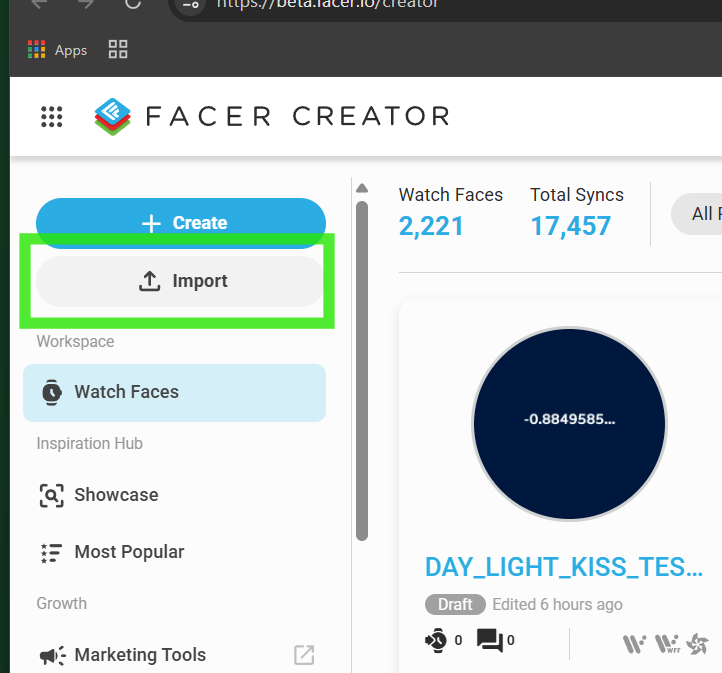
Welcome @sehohe . A lot of us are still Hobbyists just some of us have been doing it a few years . I see you have made and published quite a few Faces from creator . If you have sent a face from WFS to your watch with Wireless Debugging it is installed as well as any other method . During that process a file was made automatically that you can import to Facer . The .aab file is located in the Users / " UserName" / WatchFaceStudio / build folder . BTW you do not bring the face to Facer Creator importing it . It is imported to Facer.io . You can not edit an imported face in Facer Creator .
Go to Import in creator and fill in the Blanks as you did in your previous publishing . I change the file name . Many do not . Let us know if you get stuck .
.
I strictly use the Publish function because I compile my own preview images into the .AAB and .APK files. This is my gripe with what Facer is doing now with the Import Previews. They are completely ignoring the baked in Preview image, and creating their own animated preview with all the complication slots being empty. It makes the faces like like crap, instead with the nice preview I place in there. I’ve stopped publishing watch faces because of this.
Yes . I avoid advising Publish as I think you have to Make a Key . I think that is a big step for a Beginner . I need a lot of help generating a New Key for Timeflik . I know I could not advise someone how to do it .
I started with Publish because I actually managed to get something in a form that I was able to submit to Google. I found out what a huge pain it is to 1 - publish at all and 2 - get a gang of people together to run the required testing before Google will grudgingly decide to make it public.
So, I seem to have done an end run around this method. Good to know about it though.
I think I’ve done the basic version of what you describe. One .aab file I imported resulted in something that could be loaded on a watch but without a preview image on Facer. Not sure why only one of several faces imported required this extra step.
The key doesn’t matter when publishing on Facer. It should be the least of your worries.
EDIT: This actually does matter, because it incredibly easy to harvest an APK file for any Face watch face from the watch. Because of this, adding a keystore password would prevent someone from taking said APK, and submitting to the Google Store under their own name, and profit from your work. My recommendation is to always use the ‘Publish’ button, and add a keystore password.
They only started this new Preview thing like 3 weeks ago. I’ve asked for a checkbox to disable, along with an option to replace their animation with my own video, animated GIF, or just a still shot. I emailed them yesterday asking for an update, but haven’t heard anything back yet.
I asked for support on this matter also. All my faces look like they are broken because they didn’t use the image I provided. Icons or my info are now missing. I admit, if a face is animated, it’s nice to be able to see that. I haven’t heard back yet and hopefully they’ll get it worked out soon.
I have been importing all my WFS designs to Facer using RussellCresser’s method of importing the aab file created when I send my design to my watch. I have well over 100 faces imported to Facer this way and, “usually” it works very well. Once in a while, Facer rejects it either because my design was too big (I’ve learned how to keep them smaller now) or for some other mysterious reasons, when it saves the import as a draft.
As for how Facer displays the faces, I like that they recently began showing animations and analog second hand movement. However, it is totally hit and miss. Some faces I’ve imported are displayed with the movement and some are displayed static. This is true even when the face designs and components were almost identical - one face displays with movement and one does not.