I have Galaxy Ultra 2, but have the same problem on my 8 Classic. When I press in the middle of my current watch face and scroll through the available watch faces, Facer doesn’t show up at all. I do have the Facer app on my watch and phone. I can transfer Facer faces through my PC, Z Fold 7, and from my watch, but the watch doesn’t save any of the previous faces. How do I get Facer to show up in my list of watch faces? Thanks in advance!
@grush
On my watches it shows up as the image of the last Facer watchface I synced. Once it is on your watch, it’s just another WFF watchface, not necessarily as a Facer watchface.
2 Likes
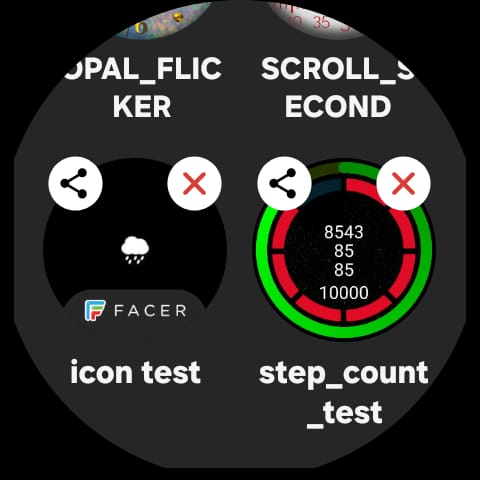
If I scroll down through the Faces on my watch I see the Facer one has a Little badge on it . tap hold the display . Swipe left till you get to the plus then tap and swipe up through sll the Samsung ones and find the facer one somewhere near the bottom .
.
1 Like
Thanks russellcresser, but I just tried like 10 times going through all my faces, but I don’t see anything with the Facer logo, just at the very bottom the last Facer face I downloaded, which is my current watch face. Am I doing something wrong?
1 Like
Thanks mrantisocialguy, Does that mean you can only store the last Facer face you downloaded?
You asked the right question Below . MAG will say the same thing . You can only have one Facer Face on your watch . If for some reason you lose it from the Top Tap hold Collection you scroll sideways to the Plus sign and then down to the face rface to get it back . Do that any way when you want to sync a Facer Face as the app has to be running to make the connection . You can make a Collection of your most Favourite faces in your WatchBox in the Mobile App . That makes them easy to find if you have a few .
Also in your Watchbox ther is a Purchased Folder . I see from your profile you only have 2 WOS faces . They shoud not be too difficult to mannage .
1 Like
Thanks again russellcresser, that kind of clarifies things. Before WFF they all showed up, until I deleted them. Marking them favorites and saving to watch box should do the trick.
1 Like
Yes . We are all upset by WFF . Some of us had made nice stop watches and World Time Faces . I had a Data back on my Personal face that showd up with a tap on the display . It showd among other things Sunrise , Sunset and a Special Compass that showed the Wind Direction Live . I could also calculate the amount of daylight for each day easily . Any way we move on . It is possible with the new generation of processors that they may bring some of the Smart stuff back to our smart watches . But I fear they are more intrested in running a load of AI srtuff on our watches that we are powerless to stop . Thus gobbeling up the Bandwidth of the new processores . I note that Samsung don’t make their own porocessor any more because they can’t make it fast enough for the Appetite of AI . Google is fronting about 3 AI at the moment . I asked Hey Google if it knew anthing about Gemini . It said that it did not understand the question . He He .
Yes, I agree totally.
1 Like
@grush
In the phone app at the bottom right side is a link called Watchbox. If you click that at the top is a blue bar. The First link is Favorites, and the second link is Recent. If you click recent it should show you all the past watchfaces you have used that are compatible with your watch now.