Can something be done like this in Facer Creator? Talking about the date area of this face. Look at the clip to see what I’m talking about.
1 Like
That link does not work for me .
It works for me.
1 Like

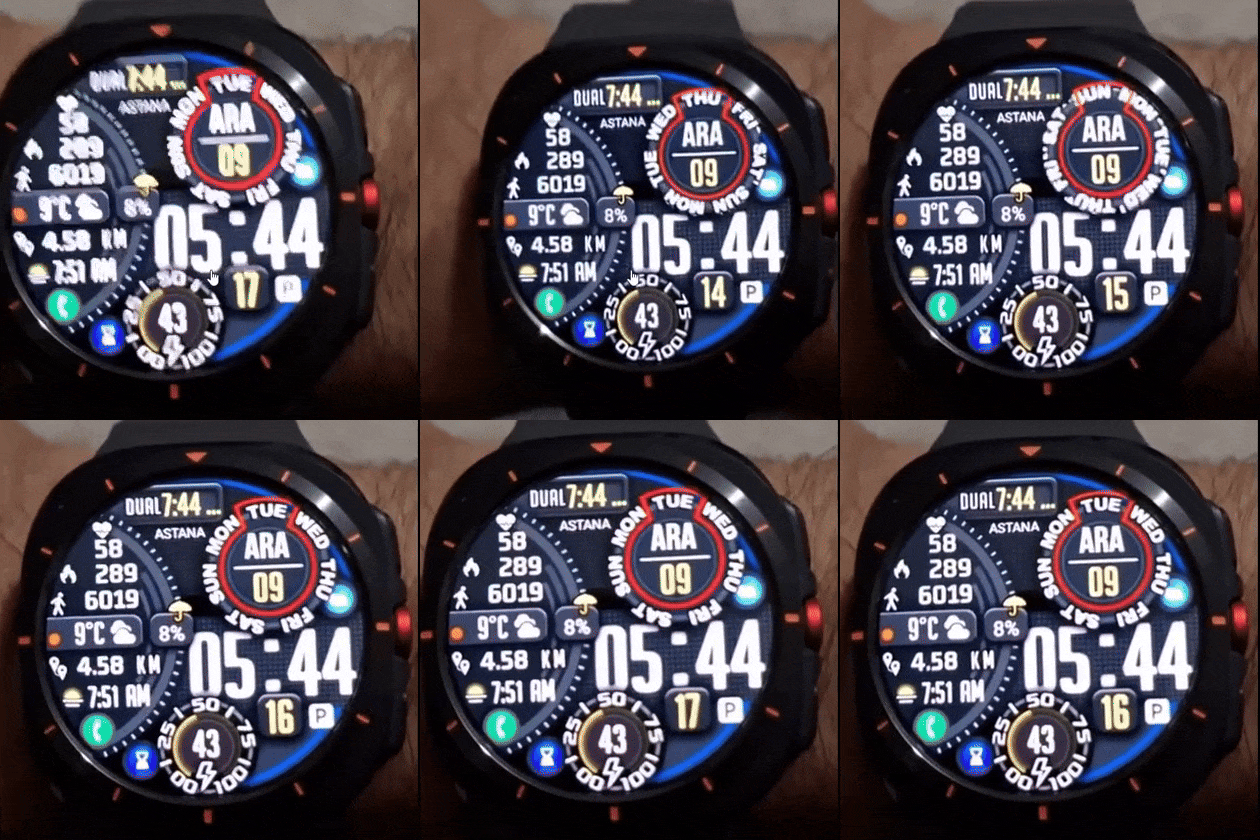
In case you guys can’t view the link
1 Like
Is ARA a language translation of day or month . I dont think we can do that in Facer . The rest is easy enough if you have the graphic resources .
1 Like
Yes I think that is Turkish .
1 Like
Just guessing- 7 animations ?
1 Like
You see what I am talking about? How the days rotate on wake
1 Like
Hi Pinbal, I think you can achieve that effect with the technique I used on this watch face for BPM and battery.
This is the expression I used:
((((interpAccel(#DWE#,0,1,1)(#BLN#))-2.4)+120))
I think in your case an expression like this might work:
((((interpAccel(#DWE#,0,1,1)*(#DOW#))*51)))
You need to adjust the number 51 so that the rotation corresponds with your graphics for the day.
2 Likes