Hi, All, I’m a hobbyist watch face designer. I create my faces in Watch Face Studio and import them to Facer. My Facer “store” is named ArtTime, so when I import a face to Facer, I always add a prefix to the name. For example, if my WFS name is “Paint Brushes,” when I import it to Facer, I name it “AT-Paint Brushes.”
Since the last Facer update, the AT- prefix shows correctly everywhere on Facer, but when I download the face to my watch (WOS6 GW7), it drops the prefix.
Is this a bug, unintended consequence of another change, or an intended “feature”?
The reason it is a problem for me (and I don’t know if it causes problems for anyone who downloads my faces) is that before you can download a new face from Facer, Facer requires that the active face on your watch be a Facer face. If I’ve changed faces a few times since my last Facer download to my watch, it can be difficult to determine which face in my Wearables > Watch Faces app is the Facer face that I need to activate so I can download another one from Facer (whew! that’s a lot of the word “face” in one sentence!).
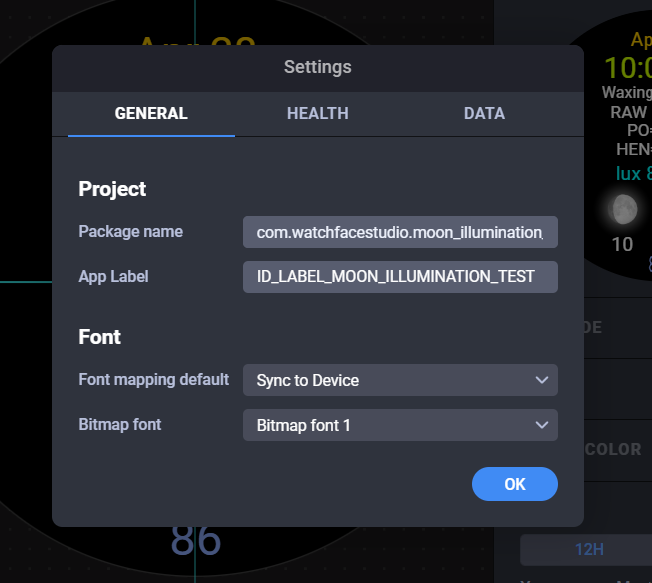
I did a test this morning and edited the project details in one of my watch faces in WFS to add the AT- to the internal WFS name and re-imported it to Facer. That one kept the AT- prefix in the Wearables app when downloaded from Facer. That seems to confirm that Facer is using the internal WFS name now, rather than the name given to Facer when importing my aab file.
If this is a bug, I guess I can just wait until the bug is fixed. But if it is an intended change, that would mean I have to edit all 153 faces in WFS, then re-import them all to Facer. Anybody know: 1) Is this a permanent/intended change? 2) If there’s an easier/better way to fix my 153 Facer faces?
Thanks!