







They look quite nice, good work my friend. May I suggest removing the coloured part as a whole and turning it White? That way, any colour could easily be adjusted in the Creator 
1 Like
Not quite sure what you mean. Do you mean making 2 separate parts of the hand?
1 Like
Yup, the inner part, and the 2 surrounding outer parts could be separated and both saved as plain White Templates to make whatever colour you wish to choose in the Creator as a nice combination 
1 Like
Here’s the best I could do for now, here on my phone, where I managed to isolate the central element, very amateurishly I must admit, and then trying to make it as close to White as I could…

… and as an afterthought, it could be used as a “Lume” effect for the AOD as well
I’ll see what I can do when I get my laptop out next…
1 Like
Please can someone tell me how to create these custom hands? Whenever i create it doesn’t rotate from end point, it always rotates from center. How to fix this? I tried multiple times. Please help.
Facer always rotates the image from the exact center of the file. To make the hand rotate from its end point, place the pivot point of the hand in the center of the canvas. The easiest way is to make the image twice as tall and leave the other half transparent. This moves the end of the hand to the center of the image, so it rotates correctly.
1 Like
Thanks a lot. Let me try that. Cheers!
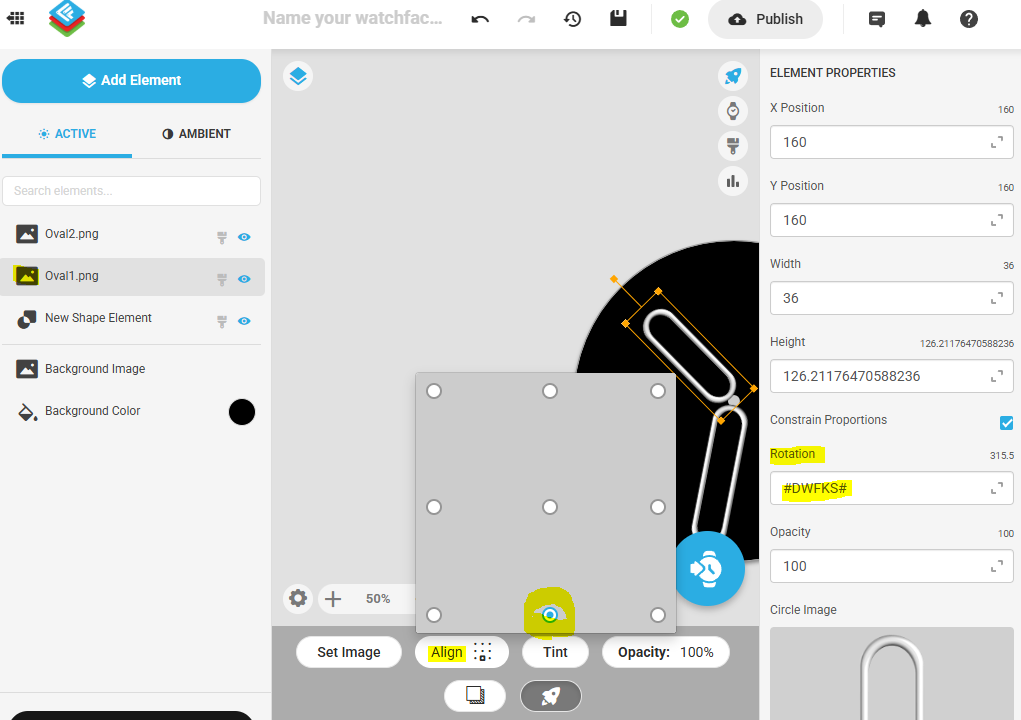
You could also insert the hand image as image layer, align it its border and let it turn around it with same expression as the hand elements insert automatically. However if the image contains anything that goes behind center (like the ring around center or even some kind of tail) it would not work this way.
1 Like
I draw the hands within a circle. When saving the hand, I then define the circle to have no line thickness. Why in a circle? If you have a set of hands, seconds, minute, and hour all using the same circle, then scaling them in Facer is easier to keep the same relative size to each other.
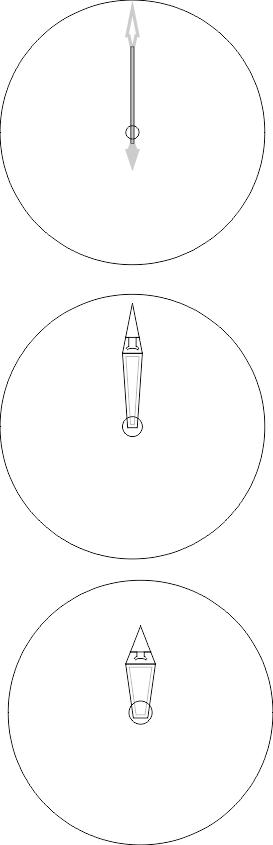
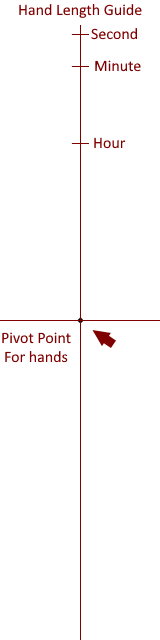
I usually use the following scale as a template, thanks to @mrantisocialguy:
3 Likes
Damn this is good. Thanks man!
1 Like