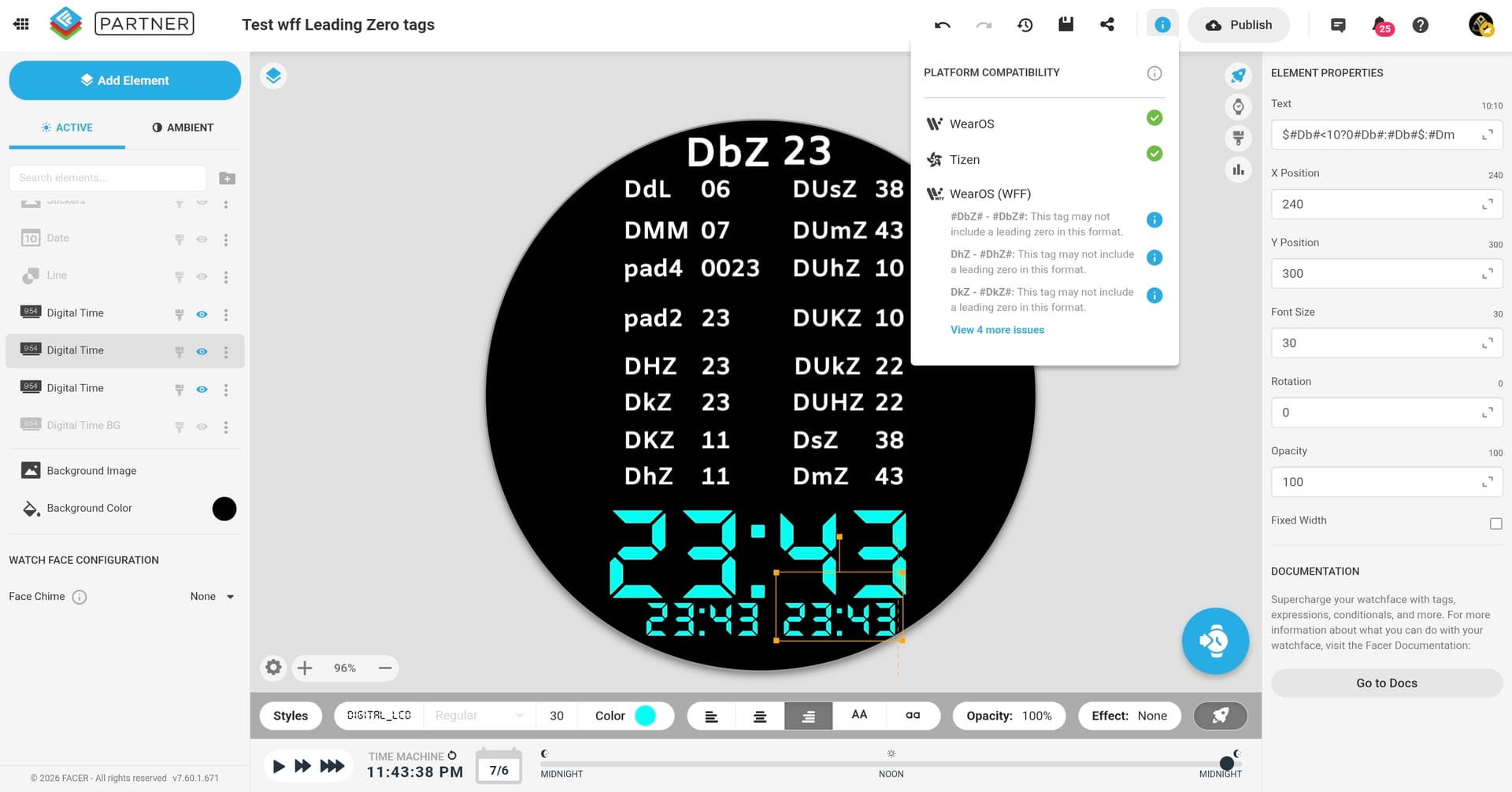
Hi all,
I saw a recent post of people discussing whether they preferred the time with a leading zero (09:10) or not (9:10). Since WFF doesn’t allow the leading zero tag for the hour (#DBZ#) anymore, I thought I would post my workaround. It is for hours only since the minute tag still works with the leading zero.
Layer setup
Layer 1: fake leading zero
Create a text layer with:
0
Opacity:
$#Db#<10?100:0$
Position this where the first digit should sit.
Layer 2: single-digit hour
Create another text layer with:
#Db#
Opacity:
$#Db#<10?100:0$
Position this where the second digit should sit.
So, for example, when the hour is 1 , Layer 1 shows 0 and Layer 2 shows 1 , making it appear as:
01
Layer 3: two-digit hour
Create a third text layer with:
#Db#
Opacity:
$#Db#>=10?100:0$
Position this where the full two-digit hour should sit.
This layer appears for hours like:
10
11
12
13
18
23
Final structure
Layer 1: 0       opacity $#Db#<10?100:0$
Layer 2: #Db#    opacity $#Db#<10?100:0$
Layer 3: #Db#    opacity $#Db#>=10?100:0$
Use the same font, size, colour, and vertical position for all three layers.
1 Like
@roycaruso
It’s faster and easier to do this. Use #Db# in one layer with the opacity of $#DTIMEFORMAT#==12?100:0$. Then make a second layer and use (floor(#Db#/10))(#Db#%10) in place of #Db# with the opacity of $#DTIMEFORMAT#==24?100:0$.
Or if you want to have a leading zero on both 12 and 24-hour just use the single layer for a leading zero with the opacity set at 100. I’ve been doing this for years now, even before WFF was a thing.
4 Likes
I actually think mine is easier haha I’ve just given the walkthrough so newcomers can understand, and yes this is for a leading 0 for both 24 and 12 hour, depending on the user preference 
2 Likes
What is wrong with: $#Db#<10?0#Db#:#Db#$:#DmZ#
1 Like
I used to use that but then it stopped working for me awhile back when attempting to publish. So I reverted to (floor(#Db#/10))(#Db#%10) method.
But recently I have noticed that #DbZ# is now working on my Samsung watches. I don’t know if this is same for other brands, but I would expect it works now.
But I still do see a compatibility warning, so please check if it works for you.
2 Likes
I didn’t know that, but it would definitely be the best solution. I’ll wait for an official statement from Facer, especially since there are more brands out there.
$#Db#<10?0#Db#:#Db#$` has always worked well for me. Just be careful not to add any spaces if you run into errors. It’s simple, compact, and does exactly what it needs to do.
2 Likes
You may have to wait a long time!
1 Like
yes… but I’ve waited longer for things I didn’t even want , I’ll survive 
2 Likes
Yeah that doesn’t consistently work for me unfortunately. Looks good in creator but often glitches in faces (unless something has changed recently).
Interesting! I definitely still get the compatibility warning but will have to investigate…‘Your results may vary’ I assume haha
Explain what you see? I never saw it and nobody ever complained about it.
It just wouldn’t show the 0 - It’s been some time though so could be up and running again. Will test it out because it would definitely be easier
Seems to work now! @jivestaroso 
1 Like