As far as I know One UI8 is the same as WOS6 at this stage . Sorry . I was just using the same OS name as shown on my Shot .
2 Likes
So you only running Updated faces now as well .
2 Likes
I think, One UI 8 Watch, depends on and includes Wear OS 6 as its base. Here you find some older info on the update: Samsung Galaxy Watch 5 and Watch 6's LTE variants get One UI 8 Watch update - SamMobile
2 Likes
Yes, pretty much. But I still have my old Galaxy Watch 1st gen that I use with the older Facer watchfaces.
1 Like
Thanks for clarifying it for me. Looks like there is no way to avoid it.
My gear S3 still works well, when it works. In past month it had twice seizure of rebooting loop, so I am more considering options and it more and more leads me outside wearOS world.
2 Likes
interesting that it was forced. I get nagged regularly but I’m so far able to just ignore it and not update. I’ll tell you one thing I wish Samsung/google would have fixed… stop turning off “raise wrist to wake”! I have to go deep into settings every couple of days to turn this back on.
2 Likes
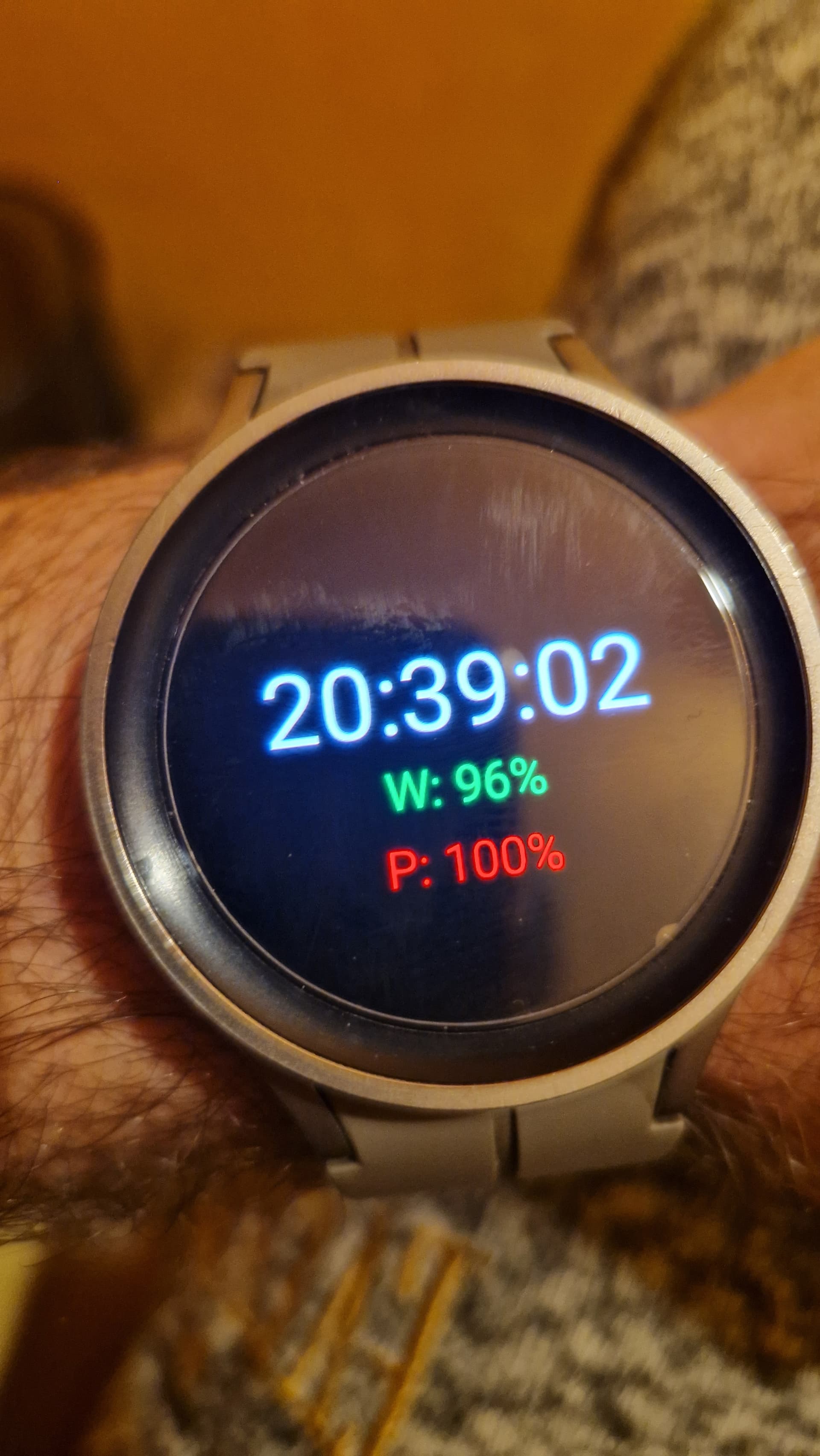
My project in android studio, I managed to create a basic watch face with the function of displaying the phone’s battery with the help of a companion application. It sends data to the watch face about the battery, location, weather, sunrise and sunset sun, temperature data. So the hardest part is over, now I can only edit the version and design. And I’m not an IT specialist, I don’t know anything about it and I only did it with the help of artificial intelligence. So Goodbye Facer.
2 Likes
Well done . The trouble with AI Code . If it does not work it is difficult to debug . All the best wit that . I will be interested to know how Battery consumption Runs . Looks to me like you Polished the top of the Bezel of your GW5 Pro .
1 Like
You really just dream about it, bad light combined with the color of the titanium watch body. The application is active only when the watch face is active and starts only when it receives a message about a change in battery status. I make the watch face so that it is not cluttered with unnecessary calculations as little as possible. Otherwise, somehow the consumption is not impressive, at the moment the watch lasts about 3 days with the facer. So if it drops for two days, it probably won’t bother me.
2 Likes
Gosh that is good battery Life with Facer .
1 Like
Wow - that’s great battery life indeed. I need to start looking at your designs. What watch do you have?
2 Likes
I had the same issue on my GW6, I had turned off the update notifications and still got the update, which I ignored! 2 days later it said that the watch would be updated overnight even if I didn’t want it to. Fast forward a week and I’ve had to factory reset the watch because temperature info wasn’t being updated at all (stuck on 0) and Gemini was open and active on the watch without being manually opened. I couldn’t swipe to see messages at all and the quick setting pane wasn’t accessible randomly. Apart from the temperature, this was happening with Facer, other downloaded faces and stock faces.
So, I don’t know what bugs the update has or any other issues there are, but 24 hours after the reset I can only wait and see.
1 Like
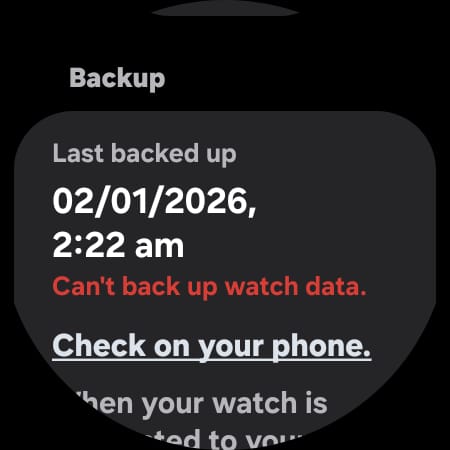
I often do a Cache Clearance rather than a Reset . I think I read somewhere that one could restore a Previous Backup Version after the Reset . I guess we have to make sure the Watch does not do any more backups if that is to be the Answer . I am reluctant to try . I wonder if there is a way to look at the Backups that have been made and when they were recorded .
.
Oh well here we are . The time ad date was when OneUI8 imposed itself on my Watch . So presumably the previous one is OneUI6 . We did not get a & as far as I know . I am going to see if I can terminate Smart Switch for just that Watch . Somehow I doubt it .
.
I have GW5 PRO
1 Like
I decided to forgo the backup and set it up as a new watch.
1 Like
Yeah . That is mostly what I do . Fresh start .
