I did not subscribe to that source of information for the public. I received my information differently.
I would be interested in how Facer explains that when I updated to Wear OS 6, I expected that the watch face that is not supported by the format would immediately crash, stop displaying unsupported functions, etc. but that didn’t happen. The watch face on the new format ran exactly the same as on the old one that still supported everything. It ran until I opened the Facer app in the evening where some updates also took place and at that moment the watch face stopped working and stopped displaying unsupported functions. So I’m asking who determines what is a supported and unsupported function when the alleged unsupported function worked normally on WOS6 UI8 until the Facer apps were updated. As soon as the Facer app update took place, everything went to shit. Can anyone explain this?
3 Likes
Yes, I can. Watches are computers. Think about it.
Seriously? 

Simple logic.
Yeah . My Wife’s watch did that . The watch took the update and all was fine ( GW_FE ) . Next day the Face / Facer had gone . I could not send it Privately so I published it but that did not work as it had Colour Theme and she does not want to pay premium . So I made it again without Colour theme and #DbL# . So all is good as can be . I am just glad I know how to fix these things . Many will not and be very frustrated . It seems like TIMEFLIK are dumping a load of their New Partners . If you ask Me I would say the whole Business is in a complete Mess . But that is My opinion and I will keep it to Myself .
Any which way Happy New Year .
3 Likes
I had the same with my GW 6 classic. I think It probably wasn’t Wear OS 6 itself but the combination of the OS update and the later Facer update. After updating to Wear OS 6, the watch was still running older Facer components, cached data, and permissions, so the “unsupported” features could temporarily keep working. Once the Facer app updated, it replaced those old libraries, activated new rules and restrictions, and removed functions no longer officially supported. That’s why everything worked fine at first, and only stopped after opening and updating Facer.
3 Likes
I’m curious what actually is going on there. Because it seems to have been made clear as could be that WearOS 6 can ONLY run WFF format faces. So if a face has functions that have no possible WFF equivalent, how could it function on a WearOS 6 watch?
Facer are able to make older faces compatible to sync with Wear OS 6 by substituting incompatible elements with default values.
Variables (var1,2,3 etc) are defaulted to 0. Interactive buttons (var toggle etc) are not available in WFF. Some App launchers are limited, and may open apps which are not available on a watch or open google apps instead of the watch brands equivalent app (e.g activity opens google fit, weather opens google weather).
There are still some incompatible areas which will prevent watches syncing to WFF such has multiple conditional statements in attributes. Workarounds are to create separate layers where previously 1 layer could do everything. This must be done by the watchface developer, not Facer.
But not everything in WFF is supported such as Sunrise/Sunset, Phone battery etc.
I am hoping that Facer can introduce more features that exist in Watch Face Studio into creator. I dont really want to develop faces in WFS. I much prefer Facer Creator. If the Complication elements were more like those in WFS, this would allow users to swap complications with third party apps such as the amoledwatchfaces complications suite. Facer could also create their own complication suite to make unsupported tags work again (possibly the watch faces could use the facer complication suite by default if installed on a watch). Needs a developer to work out whats possible in WFF.
3 Likes
What about FACER INFORMING their users purchased faces are likely to not be supported if upgrading like other apps did?
I disagree its an uninformed statement. FACER IS blocking faces on their own. Explain why a face worked just fine after upgrading on the watch but the FACER app is saying its unsupported? Explain why a pure analog face with time only says unsupported. Explain why old faces on other platforms work just fine. Explain why purchased watch faces directly on google play that have not been updated in almost 2 years work just fine. Explain why when i set FACER for a non wearOS6 watch all my purchased watch faces come back? Is that not FACER arbitrarily determining which faces are supported.
Why can’t FACER provide credit for lost purchased faces like other platforms? Frankly, I’ve since bailed on FACER. Found another platform with way better support. They knew this was coming and handled it as poorly as possible.
1 Like
why was there no announcement within the app like other watch face apps? i use facer almost daily and not a single notification. but plenty announcements to purchase the annual subscription.
It appears that you did not subscribe to Facer’s news and progress reports or participate in Facer’s Facebook group where you could have asked all of your questions and had them answered.
Happy New Year. Firstly, not everyone is on Facebook and secondly not everyone subscribes to newsletters
NO I think Facer could have done better and users have a right to be unhappy if they have lost money or functionality
Having saying that, i didnt see anything from Google or Samsung either.
This new watches nonsense is just Samsung emulating Apple where one just has to HAVE the latest model or you are not cool - nonsense!
2 Likes
The announcement regarding changes was made in this community. Someone who has been a member here since 2023 chose to ignore the opportunity to stay informed. This topic has become redundant.
I agree to a point where Samsung and Google both have tried to lean into what they perceive as Apple’s successes. But the idea of trying to sell “must have the latest model…” is pretty universal in all products and sales. For one example, I play a lot of tennis, and a tennis racquet can last for years, but every year the manufacturers put out a new version of what is most years essentially the exact same racquet as the year before but with new cosmetics and a hyped up supposed “new technology” that in most of the time just a fancy made up word  but… their in the business of selling racquets so …
Wear Os doesn’t support wff, it’s just their invention to limit battery drain. It’s just an xml format. Declared. If you install a watch face on wos6 that isn’t wff and needs to be in a basin, then you’ll need a standard f They’re trying to save battery life, but the fact that they’re still playing in the background with my assistant running is that good for the battery? It reminds me of the fucking EU from Brussels.
1 Like
Yes, you simply and logically confirmed my theory. The problem is not in google or WOS6 but in the wff format and especially in facer. 
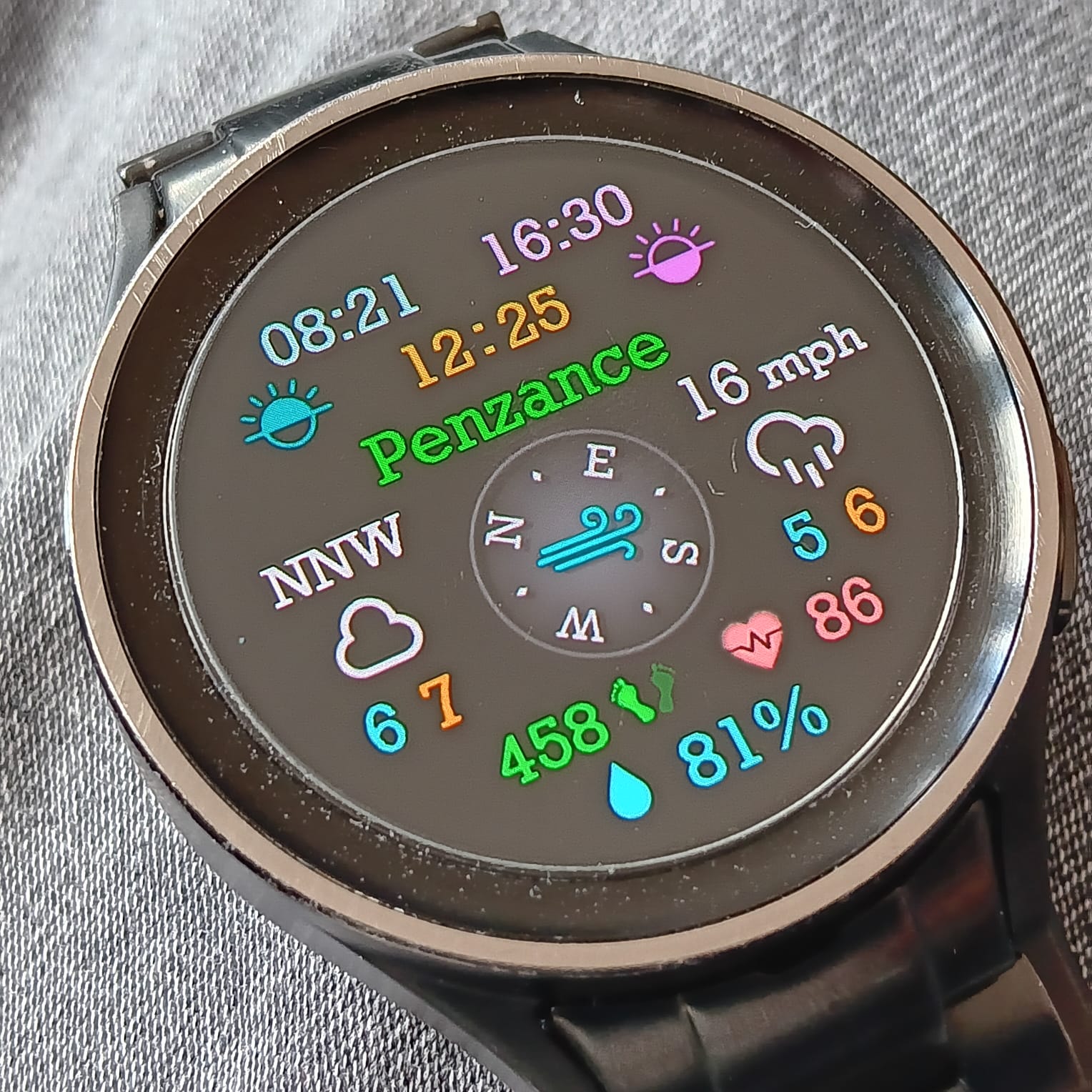
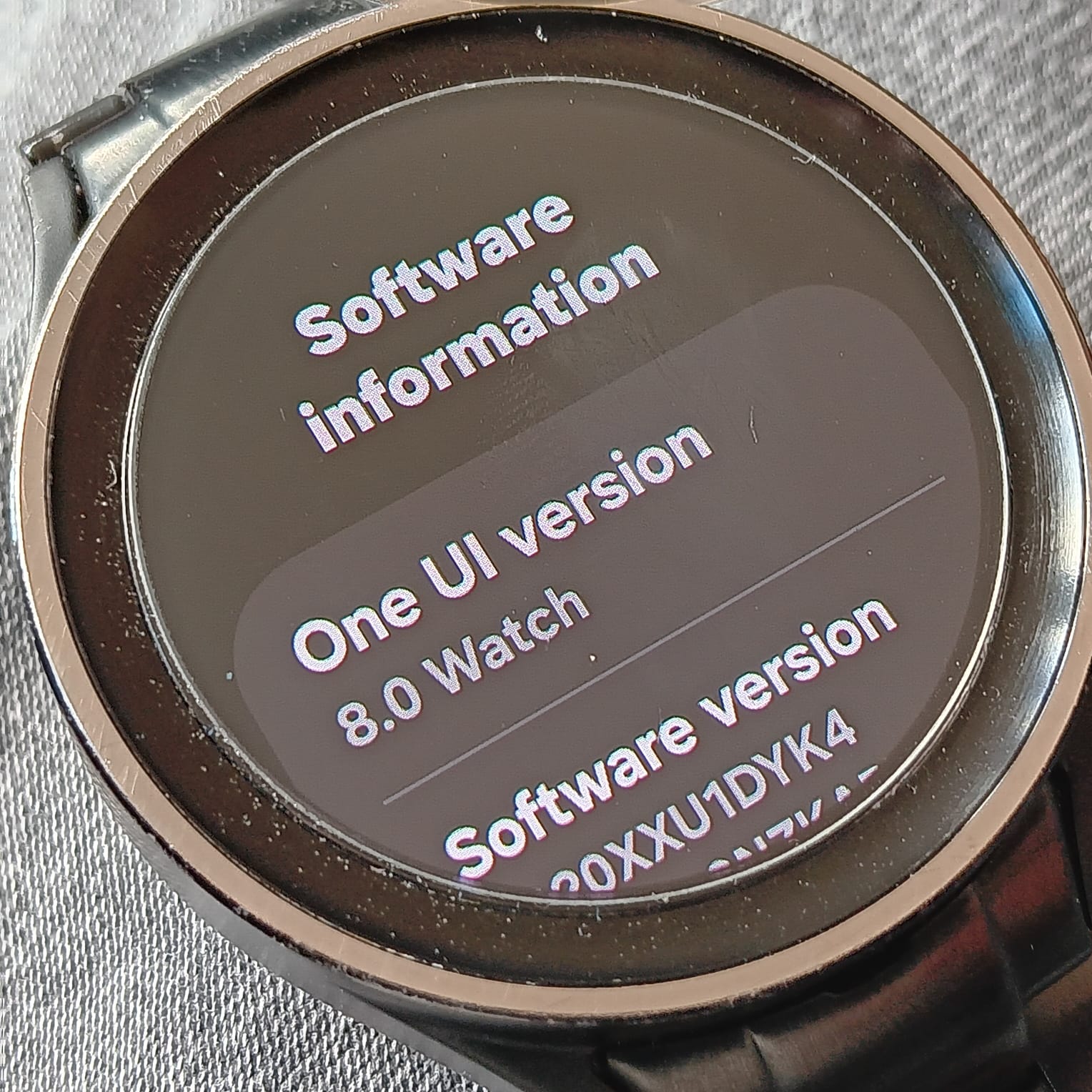
The One UI8 update forced itself onto my watch . I could not get round it . I switched of auto Update as per Samsungs Instructions . They did not send me the transcript of the Chat with a Technician . I had switched off all the notifications and Auto switch on of WiFi . Bluetooth was on otherwise there is no point in having the Face with the data that I want on it . See from the shot that I have a Wind Direction Compass in the centre and quite a few other bits that are Legacy now on my Tap to show Data Back .
So now I guess as soon as Facer decides to update the Companion App or I decide to send a Facer Face to the GW5 Pro watch it will stop being able to process the data for some of my favourite gadgets.
So I am in the Zombie Zone . with that watch . So Now I am back to the GW4 Classic .
BTW Sorry about the dust . The watch just got a rub on my Jumper to get the finger marks off .
.
1 Like
My 5 Pro did the same thing. Oh well at least the battery life is better now.
2 Likes
Is the oneUI8 bound with wearOS6 or that comes separately?
2 Likes