So Have you made something on Facer Creator . You can show us your Draft . I am not trying to TAX you . It is always demeaning on either side to assume a Level of skill . I have made that mistake many times . It always embarases one of us . One I make often is the He / She one . They get cross about that one . 
Anybody who gets cross about that is a bit too thin-skinned. No matter what anybody says, there has always been the editorial “he”. 
1 Like
As previously stated, I just started Creator a few days ago, just made one face so far and it is a total beginner face compared to the incredibly complex faces i see shared on Facer. Not even sure how I should share it. Here’s the link: j. - SuperSimple - watch face for Apple Watch, WearOS, Galaxy Watch, Pixel Watch, Huawei Watch, and more - Facer
2 Likes
OK . That is cool . I opened your link . I usually go for the Canned one . Dump the fixed width on your BPM . That is not a Zero effort project . We have to make a few of those to get a nice face out . Having said that you have all the Data you might want . Without inspecting it I can not tell if you are using SR SS tag there or complication . Those Tags do not work on an updated watch .
Your next task is to get it on your Watch . Or have you done that .
.
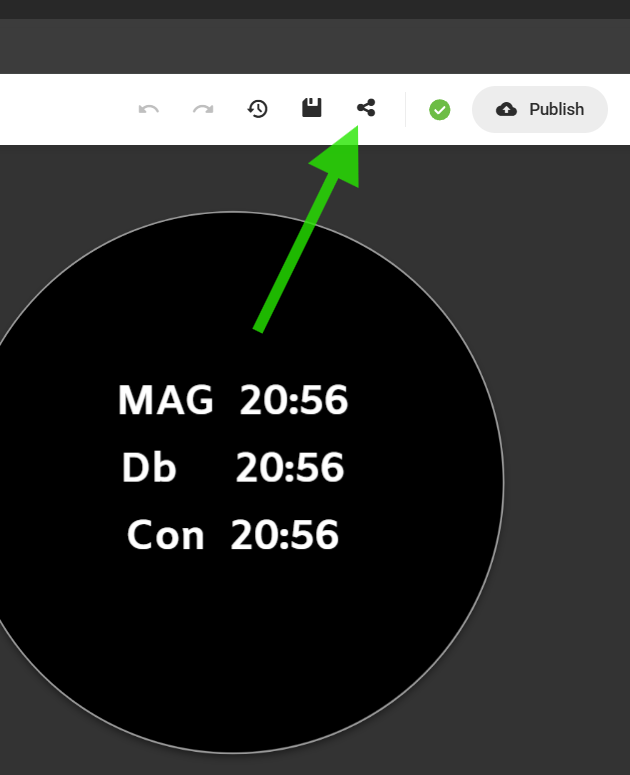
.
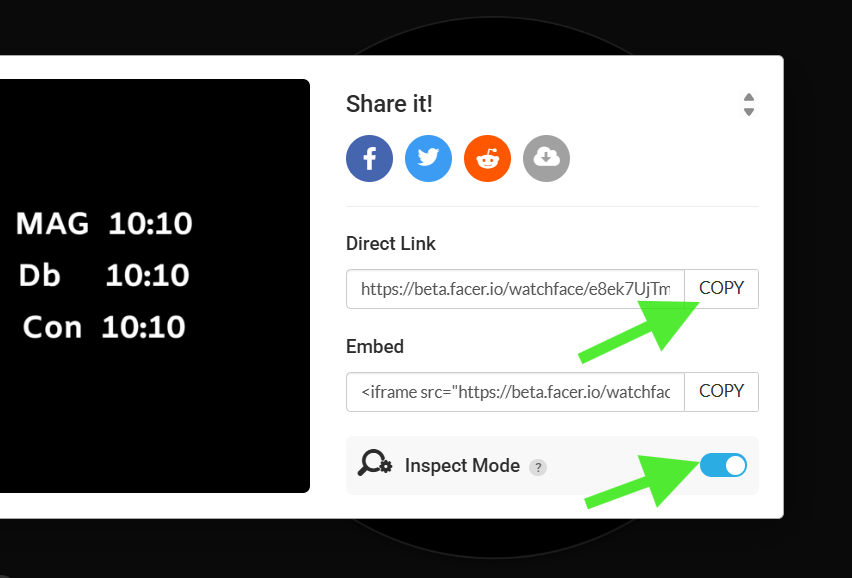
.
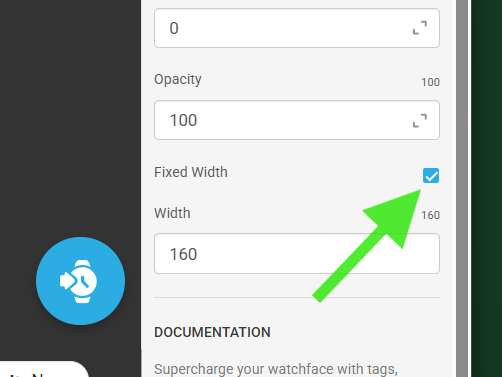
1 Like
Dunno what an ‘SR SS tag’ is  Is there a way to inspect publically shared faces to see which elements they used? And what’s the advantage of unchecking ‘fixed’ in the BPM? I feel like i’m maybe being too noisy on this forum…
1 Like
Oh, it is synced to my watch.
1 Like
No not at all .We are supposed to make a noise about making Faces . The fixed width of your text on the BPM is stopping more than 2 digits showing . Yes All my Faces are inspectable . Not all are . Most of the Contributors here make their work inspectable .
You will also see the Showcase Category have inspectable Faces . The one there top of the list is well worth inspecting . He is a good maker to Follow .
SR SS is me being Lazy and not typing Sunrise Sunset .
.
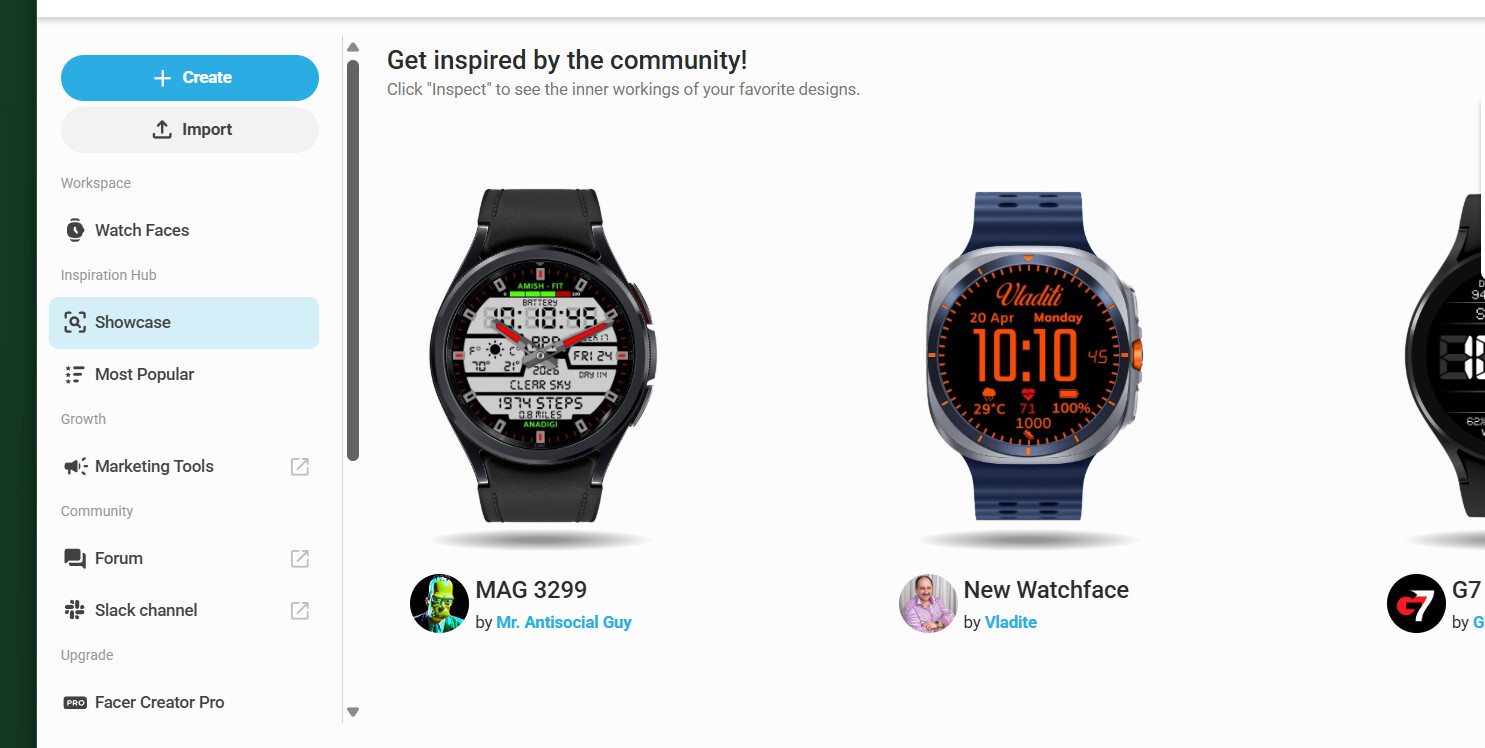
1 Like
Ah, should have pick up on that. SR SS is a complication. Understand the fixed width, thanks.
1 Like
Hi and welcome,
First, you need to understand that your new pastime is addictive - very addictive! But the people in this forum are really great and will always help you if you get stuck - but always try first. Secondly, the topics in this forum contain the most help you ever need and I recommend spending some time going through them.
Thirdly, you need to come up with a system to name your watches, some people just number them and some like myself use number + name, for example my system is BLZ-XXX Name. Fourthly, always duplicate your work of art watchface before you publish it. This is so you have a copy if the original gets taken down for copyright violation for example.
Also dont worry and dont be afraid to show your work - everybody was a newbie at the start
Finally, the font you are using (not the time) is too small for me.
Have fun!
1 Like
Sorry I had to interrupt my play with the WFS yesterday. Today I realized the clip was too large for forum, so I cut some parts. I hope it still shows the main parts enough.
I did creation in WFS before and already have the previously saved face open on screen.
To obtain the file needed for import in Facer, the face has to be “published”.
That triggers creation of such export file meant for publishing primary on play store.
There has to be inserted keystore and key password (if you do not have wearOS watch)*. First time it has to be set, other time just inserted or can be toggled to remember.
The package name is not that important, does not need to be changed, I fumbled a bit when recording.
Open creator page and pick the import option.
Drag and drop the created file from WFS subfolder Build with name of your project.
by deault its in C:\Users[your user name]\WatchFaceStudio\build[your saved project name]
The package name automatically enters in the name field, I guess you would want to change that to something without dot in name.
Sometimes the proces fails, but so far I only had to hit edit and repeat the confirm and publish steps.
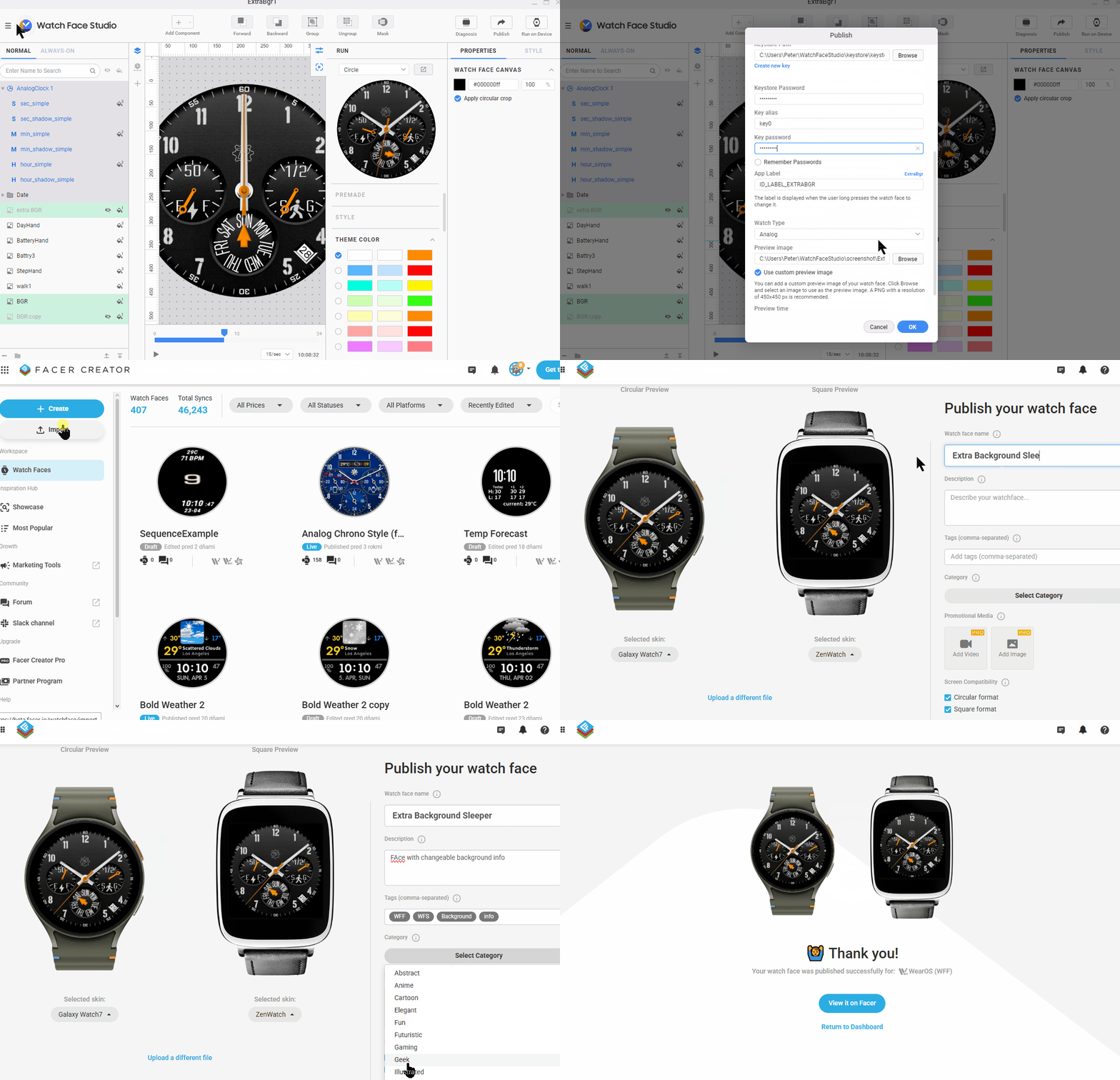
*Edit after good notice from my friend @russellcresser:
You do not have to Build a Face for Publication on Facer . When you send a Face to your watch a .aab file is created in the rod folder in Build . This way one avoids the Build and keystore .
This was not known to me, since I do not have watch with wear OS to send the face from WFS to.
1 Like
Yes it would be nice if we could utilize our own weather apps installed on our watch so that even though we can see the weather on our watch face but if you make one of those an app launcher for weather you get the error message saying that Google weather is not compatible. It would be nice if we could change our default app for some of these app launchers.
2 Likes
But then the APK that Facer creates and distributes wont be signed and can be freely distributed elsewhere.
I do not know what is running in the background or how are files protected after uploading to Facer.
1 Like