Is it not filling in the appropriate indicator? Maybe I have made this layout too confusing. Take a look at this update:
Cool face - one for the nerd hiding in each of us 
1 Like
Hi @ircrotale
Maybe I can explain better with a screenshot
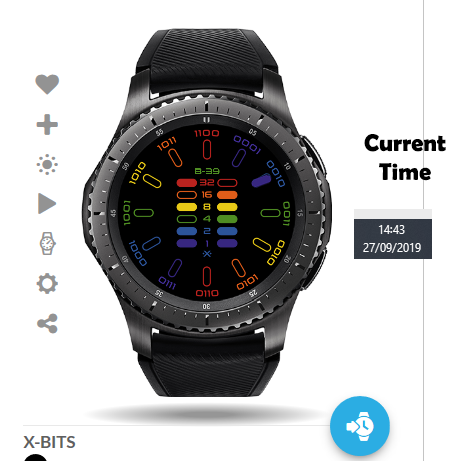
See how I have filled in the time tag with the hour (2PM / 14H)
Your watch currently looks like this:
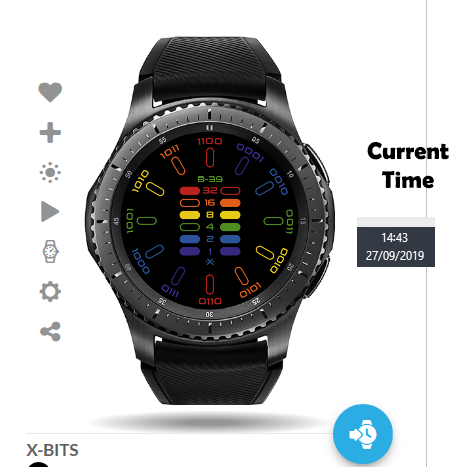
Hope this helps 
1 Like
Okay, that is weird because on all my web devices and my watch, that hour indicator shows up. Is it not showing on the website or your watch? I need to determine which course of action to take.
Is anyone else having this issue with this face? I surely don’t want to publish a non-functional watchface.
I am using the #Db# tag for each hour indicator and all are turned on. This issue has me stumped. Just as a sanity check on my work, here is a link to the current version:
I also loaded the preview image straight from the Facer website, as the time shows 10:10:45.
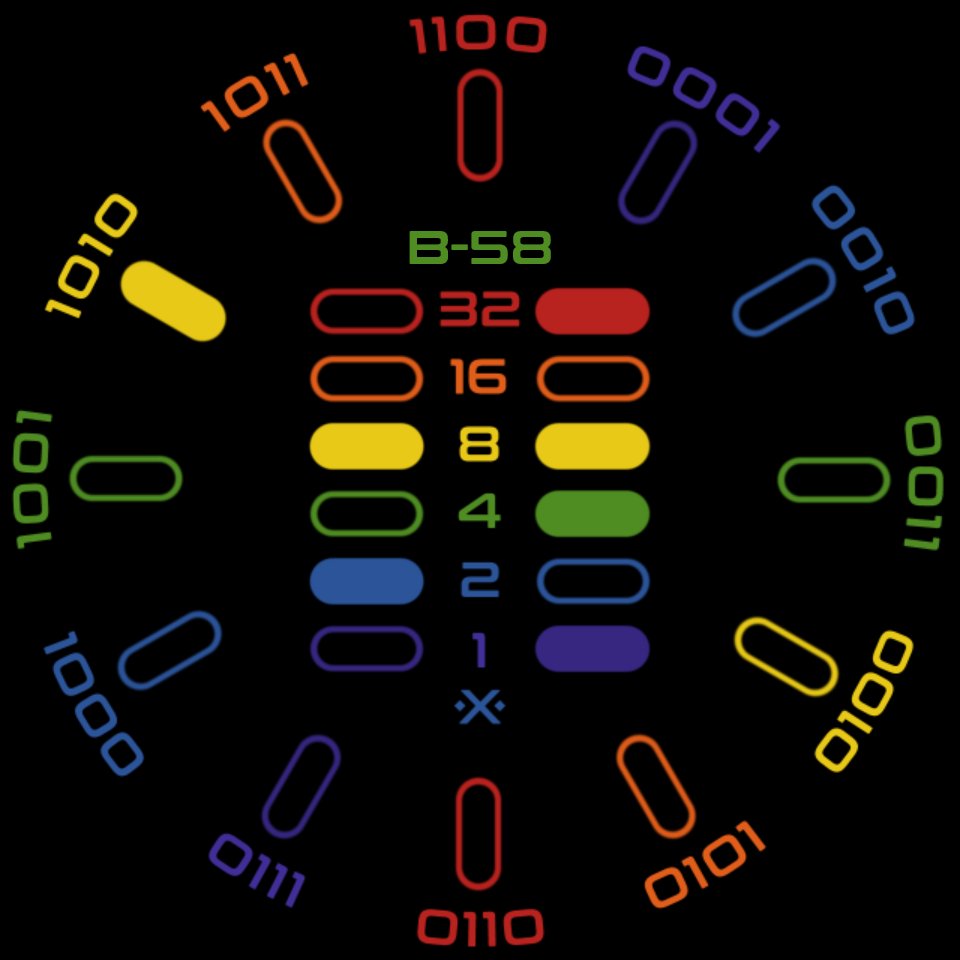
Can you share your expressions? I’ll have a look and see if anything jumps out at me.
Thanks, Mike! I turned on inspection, but I want to throw a caution your way: there are a lot of layers.
1 Like
Hi @ircrotale
So the problem is after 13h in the 24h Format
00-12h everything is fine, once you reach 13h the tag no longer shows
1 Like
This baffles me. I used the #Db# tag so this would not happen. Per Facer’s documentation: #Db# Hour in day using user’s preferred format (12 hour or 24 hour clock).
I will wait to hear back from Mike. Maybe he will find something I am overlooking.
1 Like
Ok, I think @joedoughty has it …
#Db# returns 1 to 12 when the user has chosen 12hr mode but I think 1 to 24 in 24hr mode. So if a user has selected 24hr display as their preference then the face will only display hours for the first 12.
Also, just as an aside, I was reading something from a Facer official some time ago where they said that using “=” for an equivalence test works in Creator and Tizen but may not reliably work on Wear OS. The advice was to always use “==”.
@mikeoday: Okay, I see what I need to do. Seems the tag itself is counterproductive in how it is marketed, but nothing worthwhile is ever easy or simple.
I appreciate the heads up on the == sign, as I had not seen that noted beforehand.
Update 1/version 1.1 coming up…soon.
@joedoughty: Thanks for pointing this anomaly out. Since my watch follows the time format set by the face, I never get see these issues.
1 Like
Looking forward to wearing it 
1 Like
Looking good!
1 Like
Thank you!
1 Like
Know the 24h works.
Except 00:00-00:59 (not sure if it is intentional, but seems to me the 12 should be on here too)
Is it not lighting the 12 o’clock position at midnight?
Edit:/ If I am understanding you correctly, your watch is set to 0-23 hours and not 1-24. Is that correct? If so, I can add a 12 o’clock indicator set as a zero hour to see it this resolves the bug. It may be something I will need to bear in mind when working with images as “numbers” as it were.
Yeah where we live clocks go from 00:00-23:59
Same here. I made the assumption that 0 and 24 would be the same indicator. I will make correction this evening.
1 Like