OK, Thanks! I’ll have a closer look into it.
Looking at that image, 0°C is showing 32°F.
I was referring to Tom’s post earlier, gauge there is white with no shade so invisible on white page but Russell was showing it on black background where I noticed it
1 Like
Thanks again Peter!
Corrected versions, one with Celsius on the inside and the second one with Fahrenheit on the inside:
see later post…
1 Like
Its better but on the higher end it still seems slightly… 
do not mind me, not sure if it is still useable with the WFF mess
btw, that was quick, are you using some tool for it?
No special tool, I use CorelDraw.
I used the sample gauge below, and created the red and blue ticks as a group and figured Celsius is 270° and Fahrenheit 267°. Then rotate the lines accordingly.
But you are right the is a slight error in there… will have to do them again…
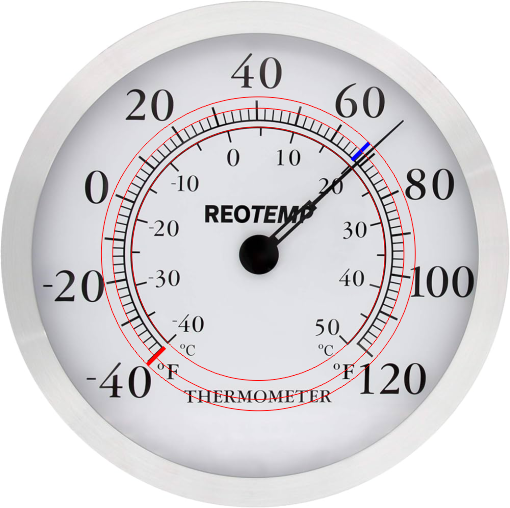
My mistake was that I had both ticks the same color, and deleted the wrong ones. Better to have 2 different colors, Corrected versions:


1 Like
Btw. the hand rotation for this is:
$#UNITSYS#=IMPERIAL?(#WCT#*1.6687-68.252):(#WCT#*3-15)$
And here the watch face with the corrected gauge (works on my Galaxy Ultra WOS6):
2 Likes