VARS and curved text!
3 Likes
Funny!
For me, it was the other way around. I tried WFS, managed to create a watch face, but it took me way too long for my liking. I like applications that I can work with immediately without having to spend a lot time learning how to use it. OK, I admit I did not spend enough time, but somehow I did find my way around with it.
But as you say, as a software developer you probably look at it from a complete different angle.
For those interested:
WFS:
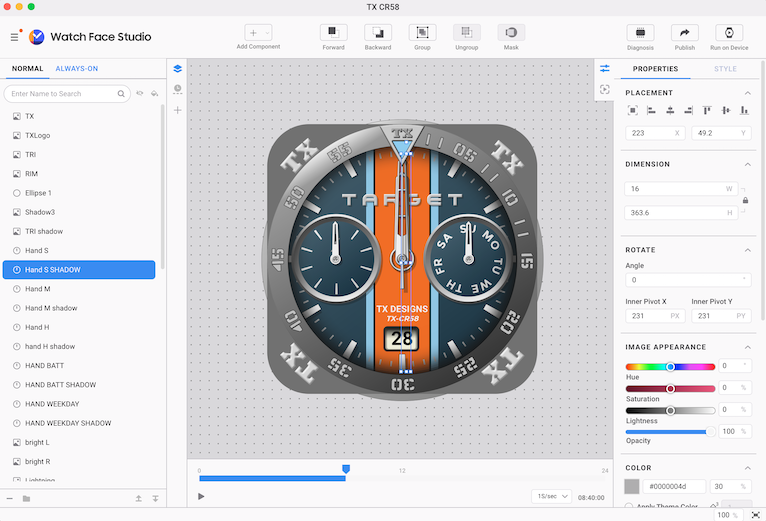
FACER:
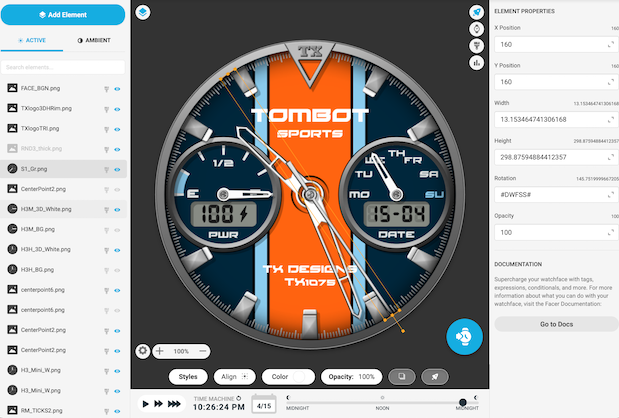
4 Likes
I guess they are figuring what features to make premium again, that WFS offers for free.
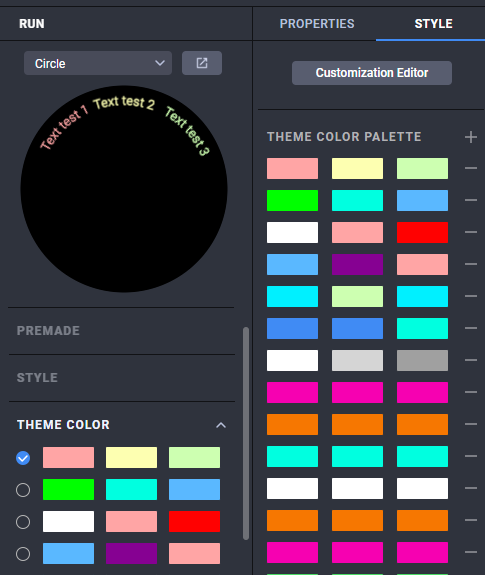
I also think the 10 image styles and tap alternatives is just WFS internal limitation, not actual WFF limit.
Interesting is also, that the color themes are actual themes, like sets of 3 colors, not just single color.
5 Likes
Even if they made it to 12 that would be good .
4 Likes
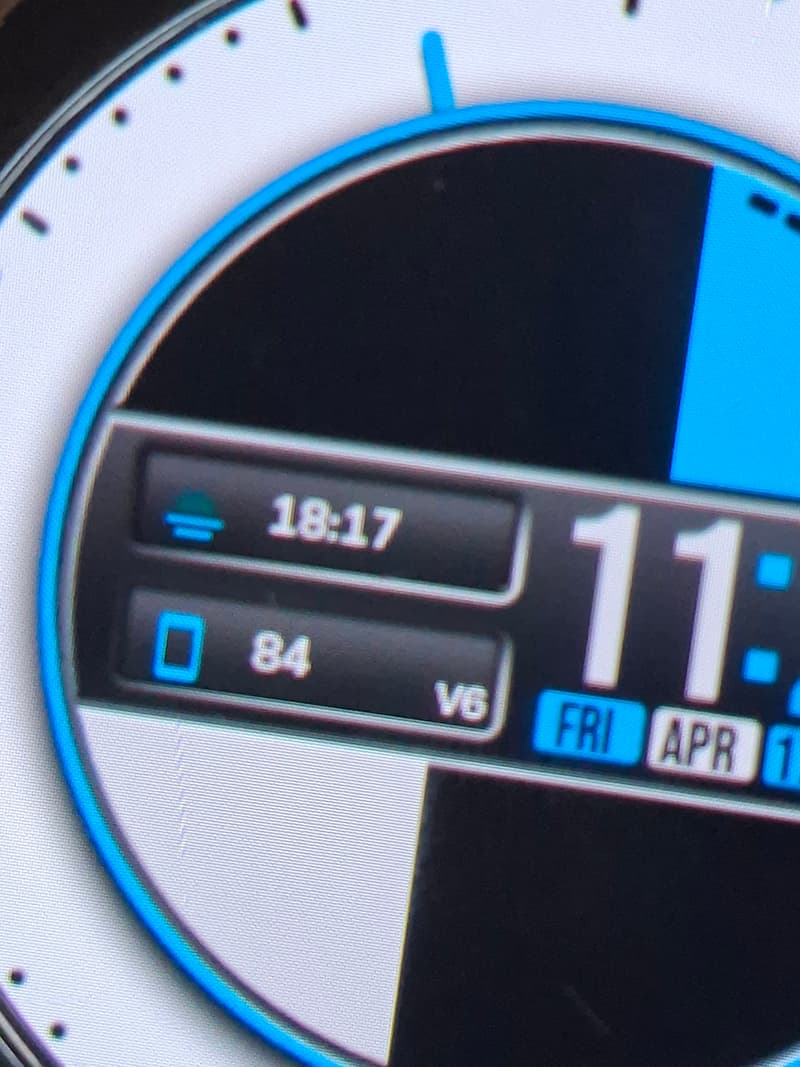
Sent a ticket off for this too along with my previous tickets regarding complications. Has anyone else noticed the “mini rectangle” icon and text seem to align “top” oriented so they don’t even line up horizontally?
***Update to this:
I actually just deleted the complications and inserted 2 news ones and they seem to line up horizontally just fine. So for anyone experiencing the same problem, I would avoid “nudging” the complications too much into position, especially vertically in a horizontally aligned complication and vice-versa. As in WFS, nudging complications can sometimes knock the text and icons out of alignment from each other, but this can be fixed by “numerically nudging” each element ( Text, Icon ) on the X,Y axis. Unfortunately, that isn’t available in facer yet and Text and Icon are not independent from each other to do this.
2 Likes
Almost an issue with alot of things, even fonts. I haven’t used the complications in creator. I assumed they didn’t work correctly. Well we know what happens when we assume…  I didn’t even know you could customize them, thanks for that bit of info. Sorry I can’t help you more. Maybe the other guys can.
1 Like
I have only used Customisable Complications Hidden . There are only 3 Sizes for the stuff that shows . Small Medium and Large . Well as far as I remember .
I haven’t really messed with the complications in WFS only to use them as hidden. The boxes and trying to figure how to get them to fit in a design. Maybe this will be something I learn next.
2 Likes
Any time you would like me to test something send me your .ZIP one way or another :::)))
2 Likes
Thank you!
2 Likes
My Pleasure . As I said signing off on another topic . I belive this is a Giving Community . The resources Catagory being an example . I belive the esprit de corps is the reason this Community is the Greatest . A coupe of technical reasons included . All we have to do is keep it up .
3 Likes
That’s it! I couldn’t have said it better - Team spirit + shared pride + mutual loyalty.
3 Likes
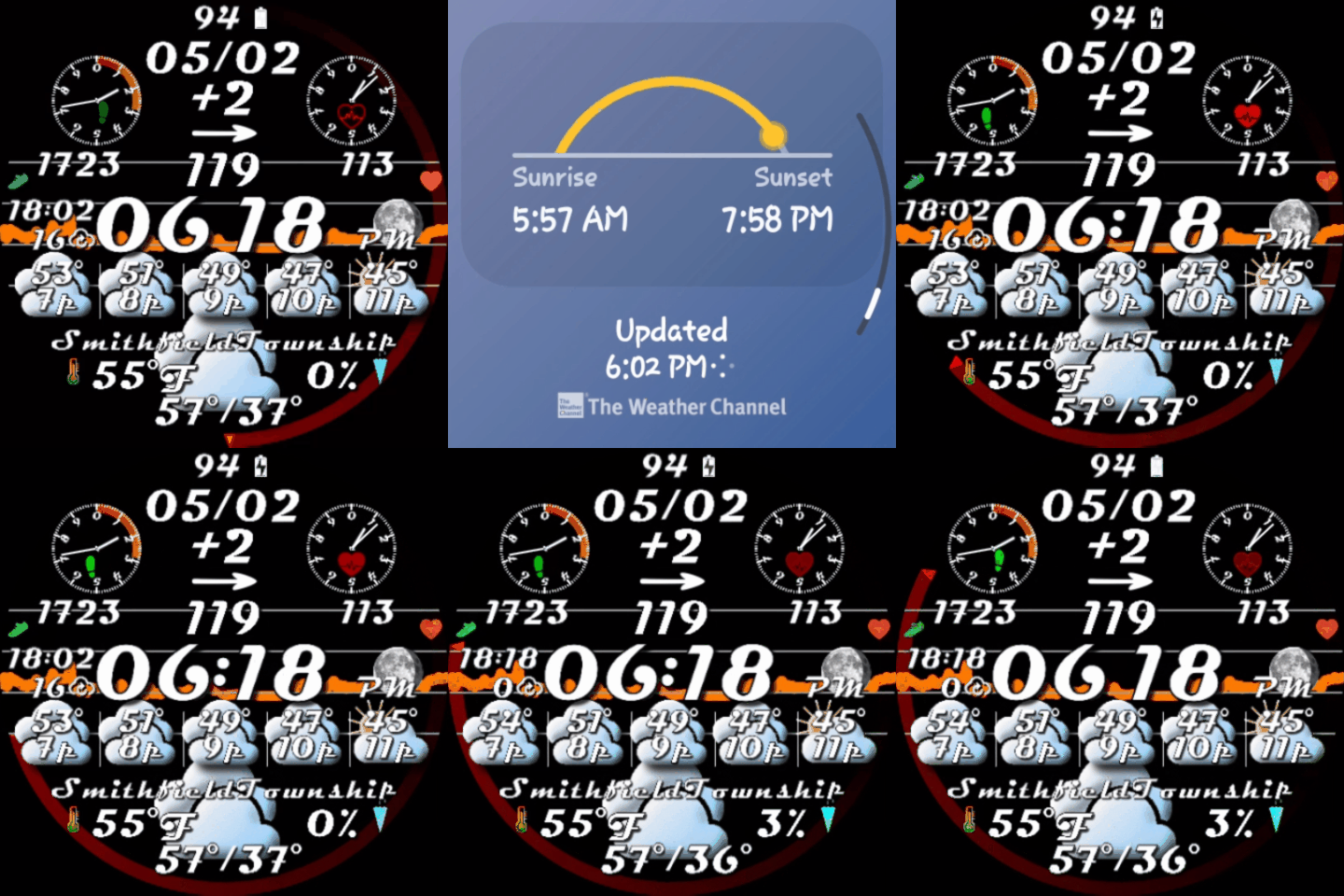
If anyone cares, in Watch Face Studio I have discovered a way to show last weather refresh, and have a single tap take you right to it in the weather app.
I’ll lay it out if someone is interested.
1 Like
Yes please!
1 Like
Wow  So much information to absorb here

2 Likes
Create a small box complication with text only (size 1pt) because if you make the opacity 0 it won’t work. Make the slot box as big as you want because that will be the tap area. Make the complication fixed and in the drop down menu, you can select sunrise/sunset which actually opens up your weather app and from there you can update your weather.
6 Likes
Yeah . Good one . I use the circular complications with opacity Zero but send them to the Top Layers . I switch off all the Settings that elevate the Complication to SDK 36 . Unless I want to use them in which case the comp will not be Hidden . I have used Range value for AMOLED Phone Battery App ( circular progress ) but the Setting has to be sent to the top of the setting list to show properly .
That’s the trick!!! I discovered it by accident.
Here’s the formula for minutes since last weather refresh.
(numberFormat(“##”,(([UTC_TS]-[WTHR_LAST_UPDATED])/60000)))
1 Like
Yes, that is one of the methods I use. You can either set the text size to 1pt or move the text outside of the Slot bounds, as anything outside the bounds will not be displayed.
Additionally, if you want to display the location:
This method allows you to show the user’s current location. Instead of using a fixed complication, use the Large Box Complication with a Long Text format on a single line. This requires the user to manually set the complication to Weather. Once selected, the location will be displayed, and tapping it will automatically open the Weather app.
3 Likes