Some of you might have seen it. I think it turned out looking pretty cool:
I thought I’d share some of the resources, code available in the watch face which is open for inspection:



Some of you might have seen it. I think it turned out looking pretty cool:
I thought I’d share some of the resources, code available in the watch face which is open for inspection:
Great work my friend, and thanks for sharing with everyone 
Not only supercool but resources and inspection open too! I cant think of anywhere else this would happen…
Uploading: 25d63c8b3dcd59418f5e7c35e19a3a22.jpg…
I was looking into getting a reel in a slot machine, but that involves masks and framing. And unfortunately, I have just a little too little experience with that. Not to mention that compared to what is shown here, I am an amateur or this is all Greek to me…
Looks good to me - especially the circular text
You can keep it simple. Just use rectangles or arcs to make a mask.
Have a look at the watch face below, no pictures, just Facer elements. Change the backgound color, and you’ll see the elements.
But be careful, arcs with fill ratio 1 do not work on WOS6, just use 0.999 instead.
Had er zelf nog eentje ( zelfs 2 ) maar als ik nu de formules ervan overneem dan werkt het niet of loopt het over elkaar. En zou ook wat hoger moeten komen …
Ah, for that you can use just a font. See this one:
here another sample:
Trying to make a face with this but the time doesn’t seem right (like about 2-hour difference from what my computer says) with my local time on the eastern time zone
It looks like you made the time images smaller than they were. That will affect the distance they move which will also change the time. This is one time that size really does matter.
@pinbal24
OK, first I want to make sure you are aware that Facer resizes all pictures to half (or less) the size they start with. @tom.vannes pictures are 770 pixels tall but in your watchface they are only 320 pixels tall. Here are screen captures side by side of your watchface next to Tom’s.
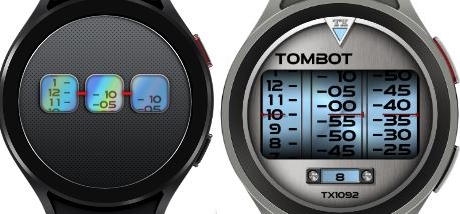
You may have used the same picture, but you didn’t make it the same size as he did inside the watchface. His inside the watchface are 417 X 50 for the hours, 427.93166783892656 X 64.07830963733926 for the minutes and 417 X 50 for the seconds. Yours are all 320 in height with varying widths. That is what is causing your problem.
Oh, ok, I see what you’re saying
A precious gift. Thanks for sharing
OK, let’s break this down and how I derived the formula. Below, the example for the seconds. The size of the numbers picture is not relevant, it is the distance it needs to travel for the 60 seconds.
Steps:
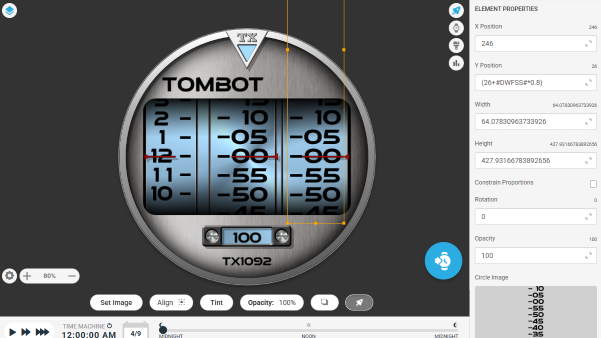
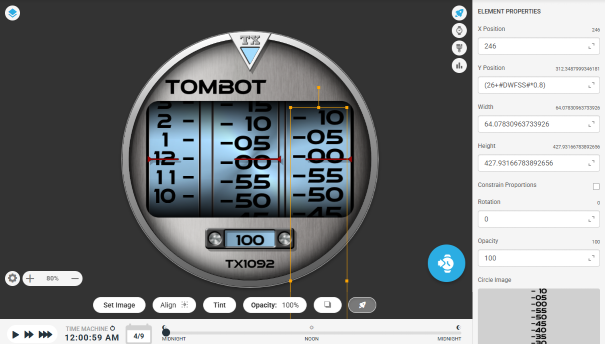
So the picture needs to travel on the Y axis for 286
Using DWFSS as a smooth value the formula is:
starting position + DWFSS * (travel distance / 360)
In my case: (26+#DWFSS#*0.8)
To note is that it is difficult to get the exact distance, so you might want to play with the factor. Maybe instead of the 0.8, it could be 0.79.
Of course its off. Tom has the formula for the images aligned to pointer at center of the screen, Yours has the pointers above center, you have to compensate for that too.
Tom ? 